
Multi-Platform Social Media Repurposing Pipeline Using n8n and AI
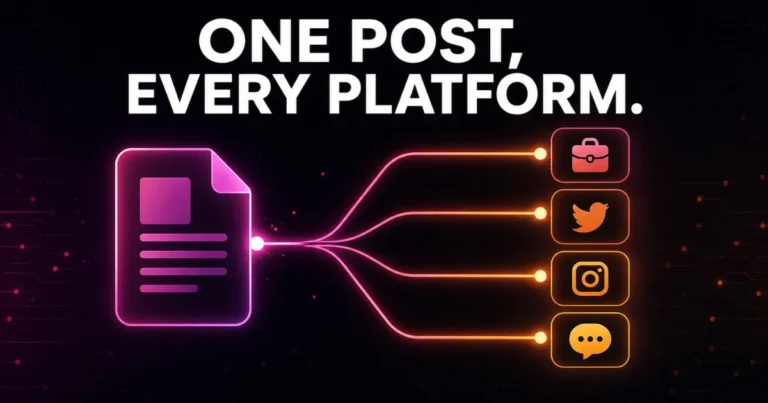
Most businesses create one piece of content — a blog post, a case study, a short video — and then post about it once, on one platform, in whatever format was easiest at the time. The content itself often has enough substance to fuel a week’s worth of posts across LinkedIn, Instagram, X, and Facebook, but manually rewriting and reformatting it for each platform is exactly the kind of repetitive work that eats hours without ever feeling like real progress.
An automated social media content repurposing workflow using n8n and AI solves this by taking a single source piece of content and automatically generating platform-native variants — the right tone, the right length, the right hashtag conventions for each destination — then publishing them on a schedule. In this guide, we’ll build that pipeline end to end.
This is close to the exact system our team at Dynamic Tech World has been building out for our own prompthub content strategy, where a single AI-image prompt or blog post needs to become a LinkedIn post, an Instagram caption, and a short-form X thread without manually reworking it three separate times.
Table of Contents
The Core Idea: One Source, Many Formats
The mistake most people make when starting this kind of automation is trying to post the same text everywhere. Platforms reward different things — LinkedIn favors a slightly longer, more professional narrative; X favors punchy, short-form phrasing, often broken into a thread; Instagram captions lean conversational with heavier hashtag usage; Facebook sits somewhere in between. A repurposing pipeline that’s actually worth building generates genuinely platform-specific versions of the same core message, not a single caption pasted everywhere with minor trimming.
Pipeline Architecture Overview
The full workflow has five stages:
- Source input — where the original content comes from (a blog post, a form submission, a Google Sheet row)
- AI content generation — one AI step per platform, each with a tailored prompt
- Image handling — either reusing a source image or generating platform-sized visuals
- Publishing — sending each variant to its platform via the appropriate node or API
- Logging and confirmation — tracking what was posted, where, and whether it succeeded
Step 1: Set Up Your Source Trigger
There are two practical ways to feed this pipeline:
- A Google Sheets content queue — you (or your content team) add rows with a topic, key message, and any source material, and a Schedule Trigger checks daily for the next row marked “Ready to Post”
- A WordPress trigger — if you’re repurposing published blog content specifically, an HTTP Request node pulling the latest post from your WordPress REST API works well, feeding the post title and body directly into the pipeline
For a content operation like Dynamic Tech World’s, where blog posts are already being produced on a regular cadence, pulling from WordPress directly keeps everything in one system rather than duplicating content into a separate queue.
Step 2: Extract the Core Message
Before generating platform-specific copy, add an AI Agent or OpenAI node that distills the source content down to its essential message — the one idea worth communicating, stripped of formatting and structure specific to a blog post. This becomes the shared foundation every platform variant gets generated from, which keeps messaging consistent even as tone and length vary across platforms.
Step 3: Generate Platform-Specific Variants
This is the heart of the pipeline — a separate AI generation step for each platform, each with its own tailored prompt rather than one generic prompt reused everywhere.
LinkedIn (professional, narrative-driven):
X/Twitter (punchy, thread-friendly):
Instagram (visual-first, conversational caption):
Facebook (accessible, slightly longer-form):
Run these as four parallel branches from the same core-message step, rather than sequentially — there’s no dependency between them, and running them in parallel keeps the workflow faster.
Step 4: Handle Visuals
If your source content already includes an image (a blog post’s featured image, for example), you can reuse it across platforms with minor cropping adjustments per platform’s ideal aspect ratio. If you want platform-specific generated visuals instead, add an image generation node (OpenAI’s image models or a connected Nano Banana/Gemini setup) per platform branch, with prompts tuned to each platform’s typical visual style — Instagram tends to reward more polished, aesthetic visuals, while LinkedIn performs fine with simpler, more direct graphics or even no image at all for text-only posts.
Step 5: Publish to Each Platform
n8n has native nodes for LinkedIn and X/Twitter, which handle OAuth authentication and posting directly. For Instagram and Facebook, use HTTP Request nodes against the Meta Graph API, since posting to these platforms requires a Business or Creator account connected through Meta’s API rather than a simple native node.
For teams managing a wider platform spread — adding TikTok or Threads, for example — a third-party aggregator API (several exist specifically built for this multi-platform posting use case) can simplify the publishing step to a single unified API call per platform, rather than maintaining separate API integrations and credential sets for each one individually.
Step 6: Add an Approval Step Before Publishing
Given how much brand voice matters on social media, don’t publish AI-generated content fully unsupervised, at least initially. Route each generated variant through a Slack “Send and Wait for Response” step before the publish nodes fire, showing the generated copy and image for a quick approve/edit/reject decision. This human-in-the-loop checkpoint is inexpensive to add and meaningfully reduces the risk of an off-brand or awkwardly-phrased post going out unreviewed.
Step 7: Log Everything
Add a Google Sheets node at the end of the pipeline logging what was posted, to which platform, when, and whether the publish call succeeded. This becomes valuable both for troubleshooting failed posts and for reviewing which repurposed content actually performed well over time, which in turn should inform which source content is worth repurposing more aggressively in the future.
Scheduling Strategy
Rather than publishing all four platform variants the moment content is generated, consider staggering them across the day or week to avoid flooding your audience with the same message everywhere simultaneously, and to hit each platform’s typical peak engagement windows. A Schedule Trigger with separate time-delayed branches per platform (LinkedIn mid-morning, Instagram evening, X spread across the day) generally performs better than a single simultaneous blast.
Common Mistakes to Avoid
- Using one generic caption across every platform. This is the single biggest reason repurposed content underperforms — each platform’s audience expects native-feeling content, not a copy-paste job.
- Skipping the approval step to move faster. AI-generated copy occasionally drifts off-brand or misreads tone; a five-second Slack approval is cheap insurance against a genuinely bad post going live.
- Ignoring platform-specific formatting requirements. Character limits, hashtag conventions, and image aspect ratios differ meaningfully — a workflow that ignores these produces content that looks visibly wrong on arrival.
- Not logging failures. API rate limits and expired tokens happen. Without logging, a silently failed post can go unnoticed for days.
- Over-automating without a content strategy underneath it. This pipeline makes repurposing efficient, but it doesn’t replace deciding what’s actually worth repurposing in the first place — garbage source content produces garbage variants at scale, just faster.
Final Thoughts - Multi-Platform Social Media Repurposing Pipeline
A well-built repurposing pipeline turns content creation from a linear, one-platform-at-a-time grind into a genuine multiplier — one solid piece of source content becomes a week’s worth of platform-native posts, each written specifically for where it’s going rather than copy-pasted and hoped for the best. The combination of n8n’s native social nodes, tailored AI prompts per platform, and a lightweight human approval checkpoint gets you real automation without losing the brand consistency that makes social content actually work.
Want a content repurposing pipeline built for your specific platforms and brand voice? Get in touch with Dynamic Tech World to discuss your automation needs, or browse our portfolio for other automation projects.
Frequently Asked Questions
Can n8n post directly to Instagram and Facebook?
n8n doesn’t have dedicated native nodes for Instagram or Facebook the way it does for LinkedIn and X. Posting to these platforms is done through HTTP Request nodes calling the Meta Graph API, which requires a connected Business or Creator account.
Should every platform get the exact same caption?
No. Each platform rewards different tone, length, and formatting conventions — LinkedIn favors professional narrative, X favors short punchy phrasing, Instagram favors conversational captions with heavier hashtag use. Generating platform-specific variants from a shared core message performs significantly better than reusing one caption everywhere.
How do I avoid off-brand AI-generated posts going live automatically?
Add a human-in-the-loop approval step using n8n’s Slack “Send and Wait for Response” node before the publishing step fires, letting someone quickly approve, edit, or reject each generated post before it’s published.
What if I want to add more platforms later, like TikTok or Threads?
Since n8n doesn’t have native nodes for every platform, a third-party multi-platform posting API can simplify adding new platforms without building and maintaining separate credential integrations for each one individually.
How often should this pipeline run?
This depends on your content production pace. A common setup checks a content queue daily for new source material and staggers the generated posts across each platform’s typical peak engagement times rather than publishing everything simultaneously.
Do I need separate AI prompts for each platform, or can one prompt work for all of them?
Separate, platform-tailored prompts produce noticeably better results than a single generic prompt reused across platforms, since each platform’s ideal tone, length, and formatting genuinely differs.

Abhay Pathak
Founder, Dynamic Tech WorldAs a full-stack web developer and AI orchestration specialist based in New Delhi, I help creators and agencies scale their digital assets through automated systems, high-speed development, and advanced prompt engineering.
Launch Your Site
Claim up to 20% OFF Premium Web Hosting + a FREE Domain. Fast & Secure.
Claim DiscountJoin the VIP Club
Get free Elementor Pro updates, premium AI prompts, and daily tech hacks directly on our Telegram.
Join TelegramWork With Us
Need a high-converting website, custom AI workflow, or want to advertise your brand to our global audience?
Contact Agency